
# Introduction
# 1. Introduction
The PCSS AI Model Service provides unified access to a wide range of AI models — including Large Language Models (LLMs), Embeddings, Code models, and Specialized AI tools — through a simple, standardized API layer built on LiteLLM.
# 2. Usage Policy by User Type
Access to AI models service can be used by scientists, students, PCSS emplyees or other users. The obligations for each user group are as following:
| Users | Cost | Tokens | Renewal | Obligations |
|---|---|---|---|---|
| Students | No cost | Fixed number of tokens per semester | Reset every academic semester | Must comply with academic integrity policy |
| Scientists | No cost | Token limit upon request | Renewed annually upon publication submission | Must cite the PCSS AI Service in publications |
| Commercial Users | Paid | Based on subscription | Ongoing | Must adhere to commercial terms of service |
| PCSS employees | No cost | Fixed number of tokens | On request | Must adhere to PCSS employess terms of service |
The price list for public access is available on https://hpc.pcss.pl (opens new window) site or directly under detail section in offers.
# 3. Getting Started
# 3.1. Visit the PCSS Customer Portal
Go to https://pcss.plcloud.pl (opens new window) to access the portal where all PCSS AI services are managed.
# 3.2. Create an Account
Sign up using your institutional or organizational credentials. Full documentation on creating an account and using the portal’s features can be found here: https://help.pcss.plcloud.pl/portal/portal/ (opens new window)
# 3.3. Create Your Space
Depending on your affiliation, create the appropriate space:
- Employee Space - for PCSS employees
- Scientific Space - for researchers or academic staff
- Student Space - for individual student users
- Public Space - for general public access
# 3.4. Choose Service
Choose the appropriate service for your space:
- Access to AI models, including LLMs for PCSS employees - for employee space
- Access to AI models, including LLMs for scientists - for scientific space
- Access to AI models, including LLMs for students - for student space
- Access to AI models, including LLMs for commercial usage - for public space
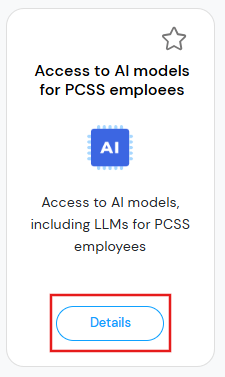
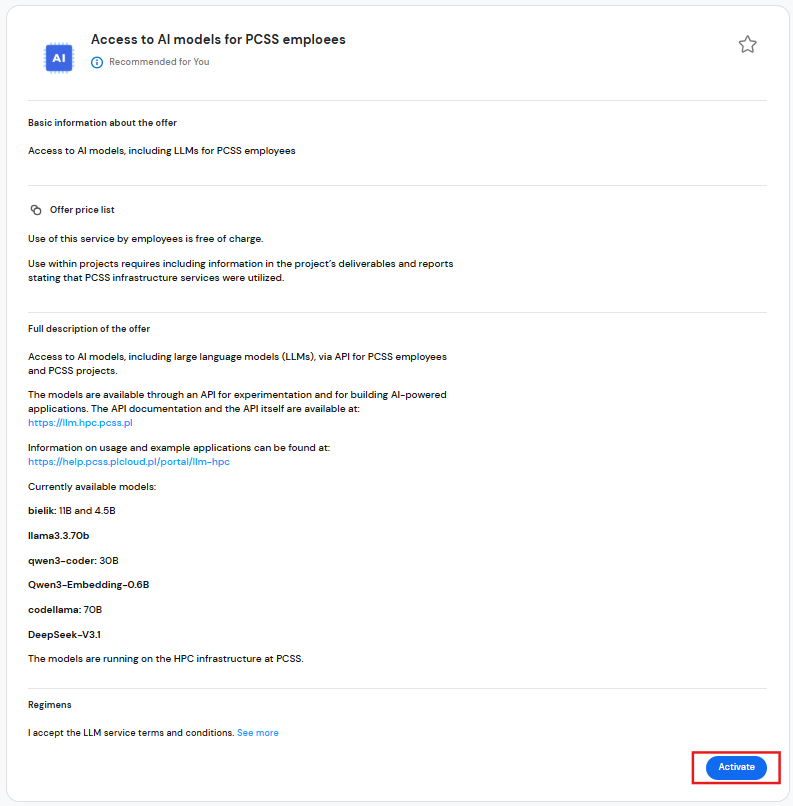
# 3.5. Read offer summary
Review the offer details carefully.
Click Activate to proceed.
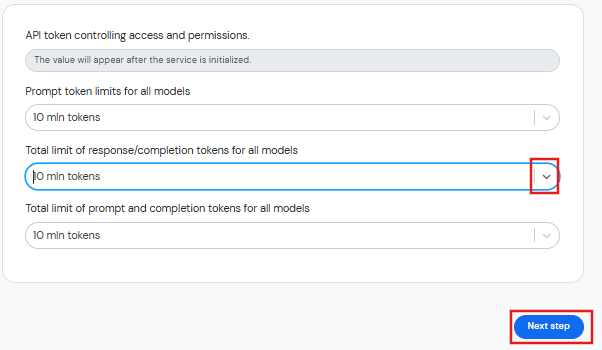
# 3.6. Provide service parameters
Set the following limits using the drop-down menus:
- Prompt tokens
- Completion tokens
- Total tokens (prompt + completion)
Then click Next Step.
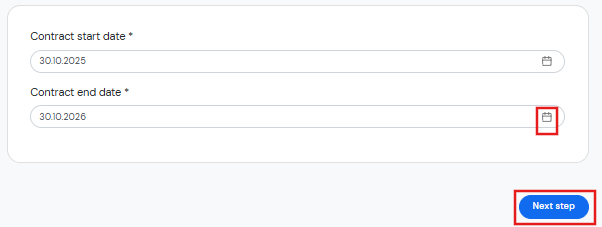
# 3.7. Select Contract Dates
Enter the start and end dates using the date picker.
Click Next Step to continue.
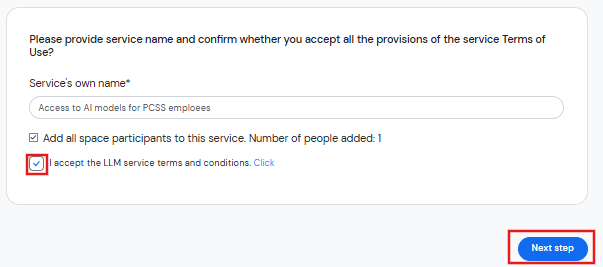
# 3.8. Read the terms and conditions
Provide a service name, then read and accept the terms and conditions.
Click Next Step to continue.
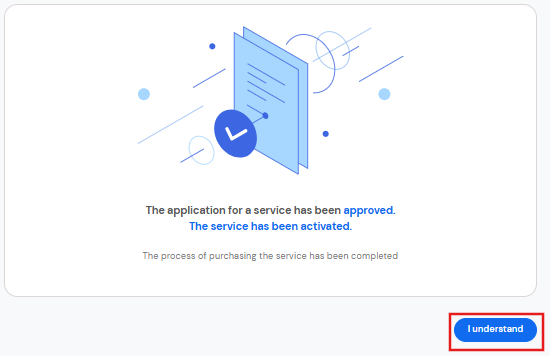
# 3.9. Confirm understanding
After the service is activated, press I Understand to proceed.
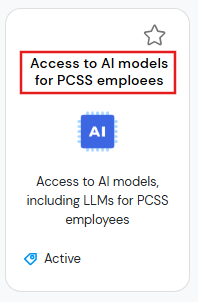
# 3.10. Access Your Newly Created Service
You will be redirected to the service selection window.
Enter the service you just created.
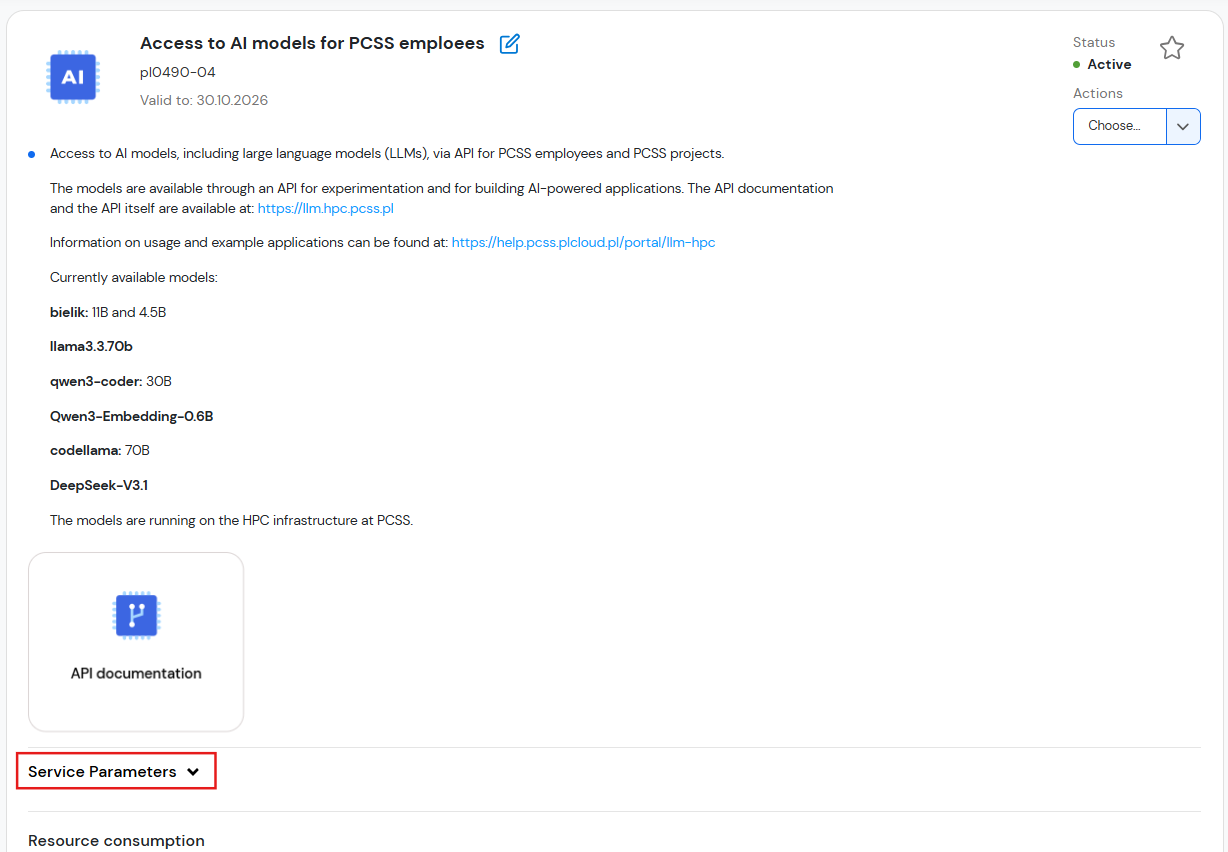
# 3.11. Review your quote and check your API key.
Expand Service Parameters to:
- Check your API key
- View your usage limits
# 4. Using API Endpoint
Once your service is activated and you have your API key, you can start interacting with the PCSS AI Model Service via its API.
All API requests are made through:
https://llm.hpc.psnc.pl
The service is LiteLLM-compatible, meaning it follows the same structure as the OpenAI API.
Authorization: Bearer <your_api_key>
⚠️ Important:
Keep your API key secret and never share it publicly.
# 4.1. Listing Available Models
To check which models are available for your account, you can use the /v1/models endpoint.
The response will list all models currently available for your service (e.g. bielik:11b, llama3:70b, etc.).
# 4.1.1 Linux
curl -X GET "https://llm.hpc.psnc.pl/v1/models" -H "Authorization: Bearer <your key>"
# 4.1.2 Windows Command Prompt
curl -X GET "https://llm.hpc.psnc.pl/v1/models" -H "Authorization: Bearer <your key>"
# 4.1.3 Python:
import requests
import json

# LiteLLM endpoint for listing all available models
url = "https://llm.hpc.psnc.pl/v1/models"

# Replace with your actual API key
headers = {
    "Authorization": "Bearer <your key>",
    "Content-Type": "application/json"
}

response = requests.get(url, headers=headers)

if response.status_code == 200:
    # Pretty-print JSON with indentation
    print(json.dumps(response.json(), indent=4))
else:
    print(f"Error {response.status_code}: {response.text}")
# 4.2. Sending Your First Request
Once you know your model name, you can send chat-style queries via /v1/chat/completions.
# 4.2.1 Linux
curl -s "https://llm.hpc.psnc.pl/v1/chat/completions" -H "Authorization: Bearer <your key>" -H "Content-Type: application/json" -d '{"model":"<model_id>","messages":[{"role":"user","content":"Dlaczego niebo jest niebieskie?"}], "stream": false}'
# 4.2.2 Windows Command Prompt
curl -s "https://llm-beta.hpc.psnc.pl/v1/chat/completions" -H "Authorization: Bearer <your key>" -H "Content-Type: application/json" -d "{\"model\":\"<model_id>\",\"messages\":[{\"role\":\"user\",\"content\":\"Dlaczego niebo jest niebieskie?\"}],\"stream\":false}"
# 4.2.3 to samo zapytanie w Python:
import requests
import json

# LiteLLM endpoint for chat completions
url = "https://llm.hpc.psnc.pl/v1/chat/completions"

headers = {
    "Authorization": "Bearer <your key>",
    "Content-Type": "application/json"
}

# Request payload
data = {
    "model": "bielik:11b",
    "messages": [
        {"role": "user", "content": "jakiego koloru jest niebo"}
    ]
}

response = requests.post(url, headers=headers, json=data)

if response.status_code == 200:
    # Pretty print full JSON
    print(json.dumps(response.json(), indent=4))

    # Extract and print just the model's reply
    reply = response.json()["choices"][0]["message"]["content"]
    print("\nModel reply:", reply)
else:
    print(f"Error {response.status_code}: {response.text}")
# 5. Data Privacy & Security
- All communication with the PCSS AI Model Service is protected by HTTPS encryption to ensure data confidentiality and integrity.
User input and generated outputs are not permanently stored on our servers. The system temporarily processes data to generate results, after which the content is discarded.
Service logs are collected solely for operational and performance monitoring purposes, and any stored metadata is anonymized so that it cannot be traced back to individual users or specific queries.
All data processing complies fully with the European Union’s General Data Protection Regulation (GDPR). The PCSS team is committed to maintaining a secure and privacy-preserving environment for all users, including students, researchers, and commercial clients. - The PCSS AI Model Service operates under a strict Acceptable Use Policy. Users must refrain from generating or distributing harmful, illegal, or unethical content using any of the provided models.
Ownership of both input data and generated outputs remains entirely with the user, unless otherwise specified in individual project agreements.
All data processing and storage are conducted in full compliance with the European Union’s General Data Protection Regulation (GDPR) and related privacy laws. - The prompt and respones for the models are not processed, moderated or filtered in any way if the models are to build services all monitoring and moderation must be done in the final service.
# 6. FAQ
# 6.1. which API endpoints can I use:
- You can use the standard OpenAI-compatible endpoints exposed by the LiteLLM service, including:
/v1/chat/completions– for chat-style interactions (e.g., GPT models)/v1/completions– for text generation with completion-based models/v1/embeddings– for text embeddings/v1/models– to list all available models
- The service is fully compatible with the OpenAI SDKs and API structure.
# 6.2. Which models are available?
- List of models available for given service can be obtained using https://llm.hpc.psnc.pl/v1/models (opens new window) endpoint
# 6.3. I'd like to have more tokens available
- after you log in to Users and Product Portal (https://pcss.plcloud.pl (opens new window)) use create a ticket button, or use modify parameters option in the details of the service
# 6.4. I am waiting long for the reply
- after you log in to Users and Product Portal (https://pcss.plcloud.pl (opens new window)) use create a ticket button and describe precisely the problem, including information about the model you are using
# 6.5. I'd like to have model available - is it possible?
- Not all models are enabled by default. Please create a support ticket via the Users and Product Portal (https://pcss.plcloud.pl (opens new window)), specifying the model name and intended use case — our team will verify if it can be made available for your project.
# 6.6. Is there a web front-end where I can chat with the models?
- Not directly at this stage — we currently focus on API-based access. However, you can easily integrate the API with tools such as LangChain, to build your own front-end.
# 6.7. Where can I check how much tokens I've used / how many tokens left
- At the moment, detailed real-time token usage is not available directly in the portal. Usage information is updated once per day and visible in your account on https://pcss.plcloud.pl (opens new window)
# 6.8. can I get separate personal keys for all participants of my service:
- not yet, but soon after you assignt a "end user" role to a participant, you will get an email with notification that will have personal key included
# 6.9. how can I check token usage of all my users?
- For now you can only check how many tokens are used by whole your team